Stop deciding what to eat every single day!
Save your dishes once, plan whole weeks in minutes, and get an AI grocery list — one simple app.
Save your dishes once, plan whole weeks in minutes, and get an AI grocery list — one simple app.
4.8
Rating on the App Store
191
Recipes in free catalog
No ads
Free / Subscription / Forever plans
Sound familiar?

Everyday thinking on what to eat or cook

Recipes scattered everywhere

Missing something while shopping

Forget ingredients, order takeout
FoodsPlans it’s a mobile app that helps you stop guessing what to eat. Save your dishes, plan weeks ahead, and generate grocery lists — all in one app.
No complicated setups, just a clear system that saves you time every day.
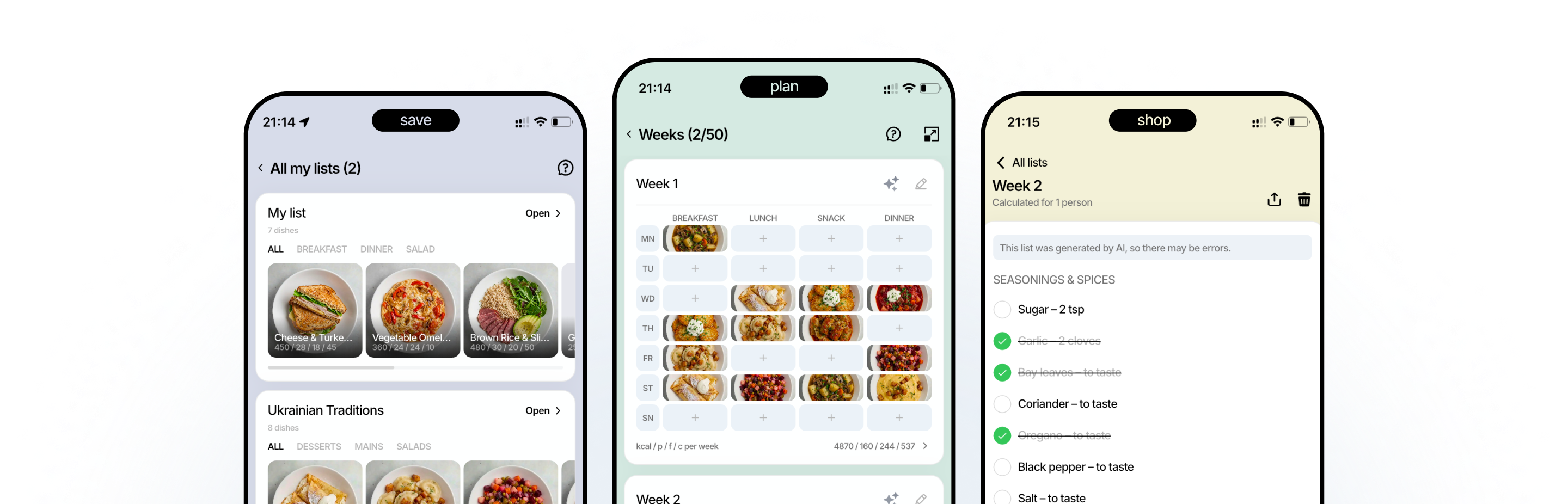
Tap on tabs below
 Recipes
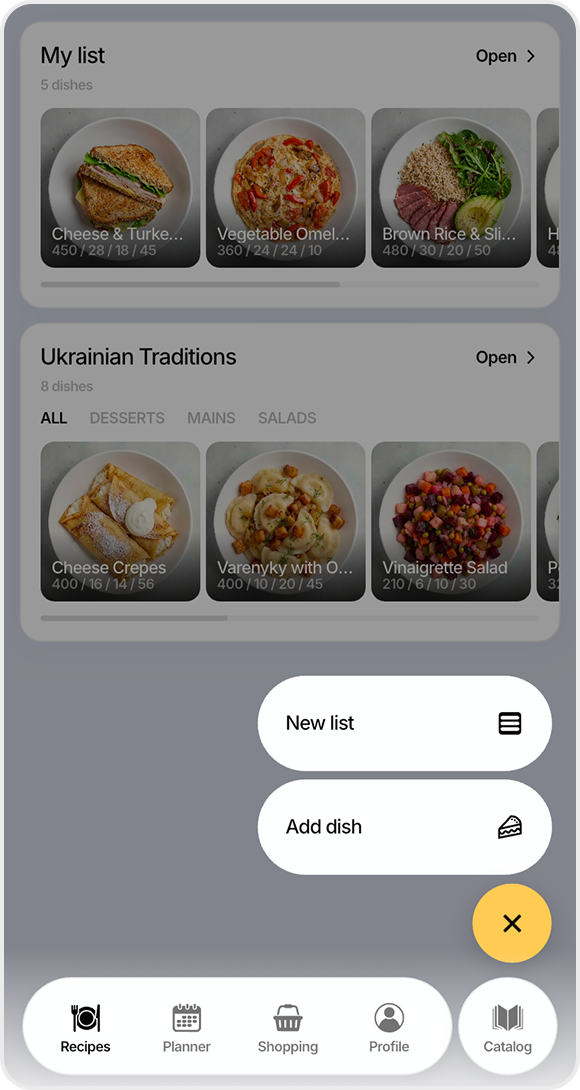
Add your go-to meals — or grab ready ones from the Catalog. Your whole menu lives in one place.
Create list and add your dishes
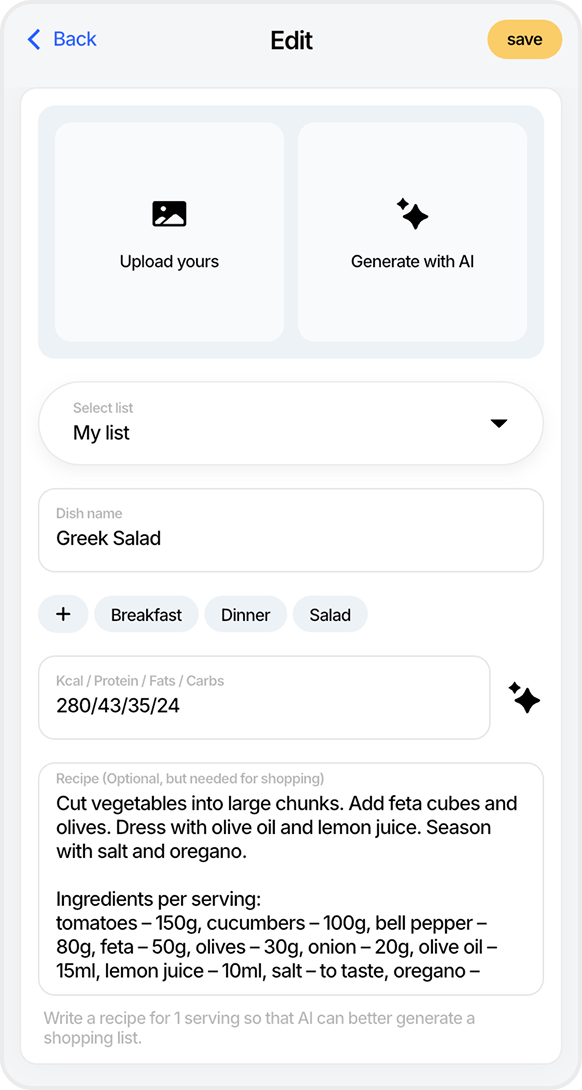
Enter dish name and recipe, then choose a photo or generate
 Planner
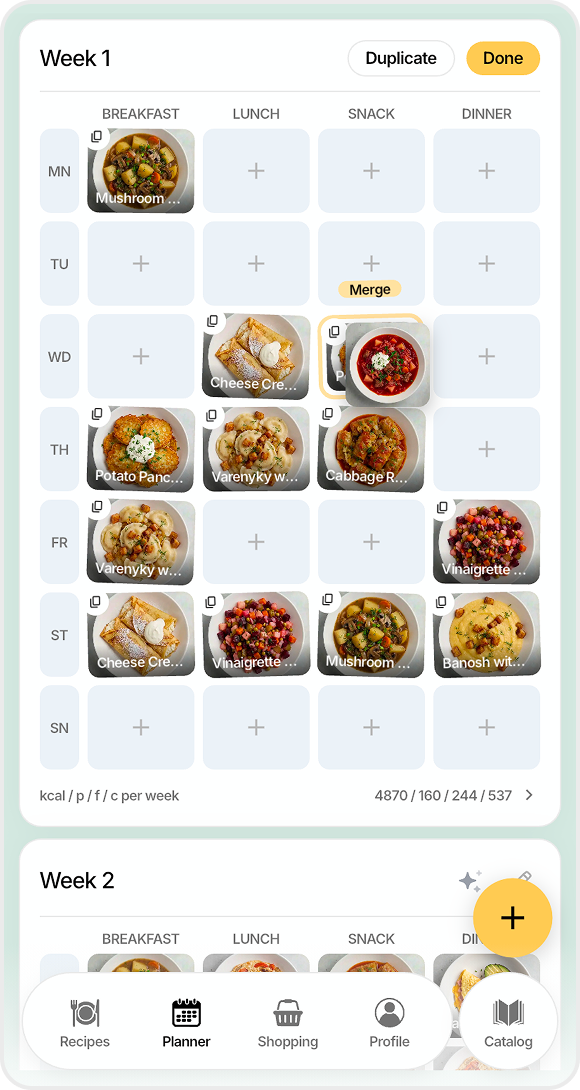
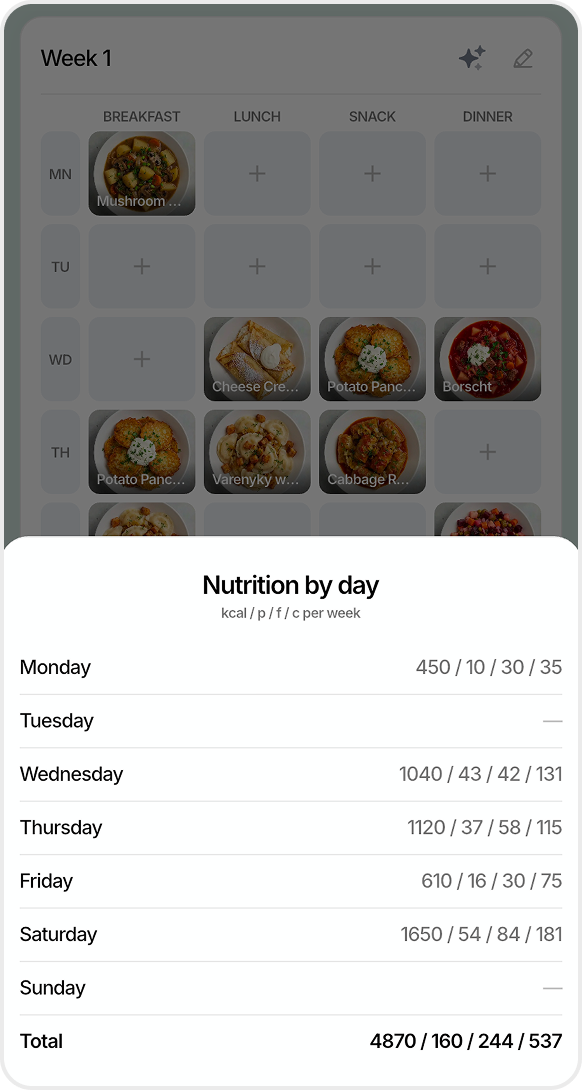
Build reusable weeks like “Basic”, “Meaty”, “Festive”. Next time, just pick one — done.
Fill, swap, merge, or duplicate dishes within slots
Simple nutrition tracking for planned week
 Shopping
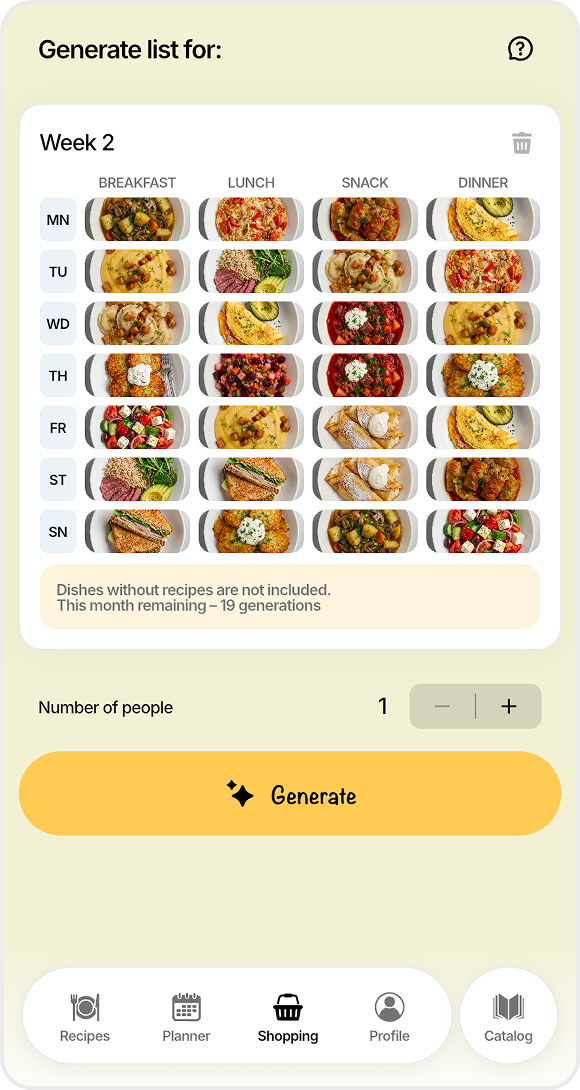
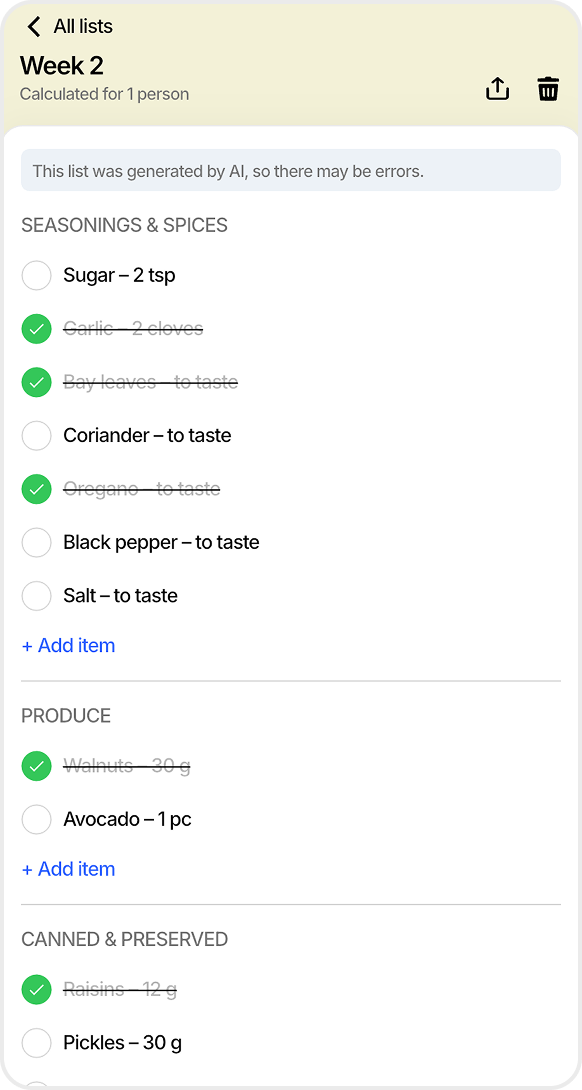
One tap turns your week into a grocery list, grouped by aisle. Nothing forgotten.
Select filled week and generate shopping list
You can edit or share list just with the link
 Profile
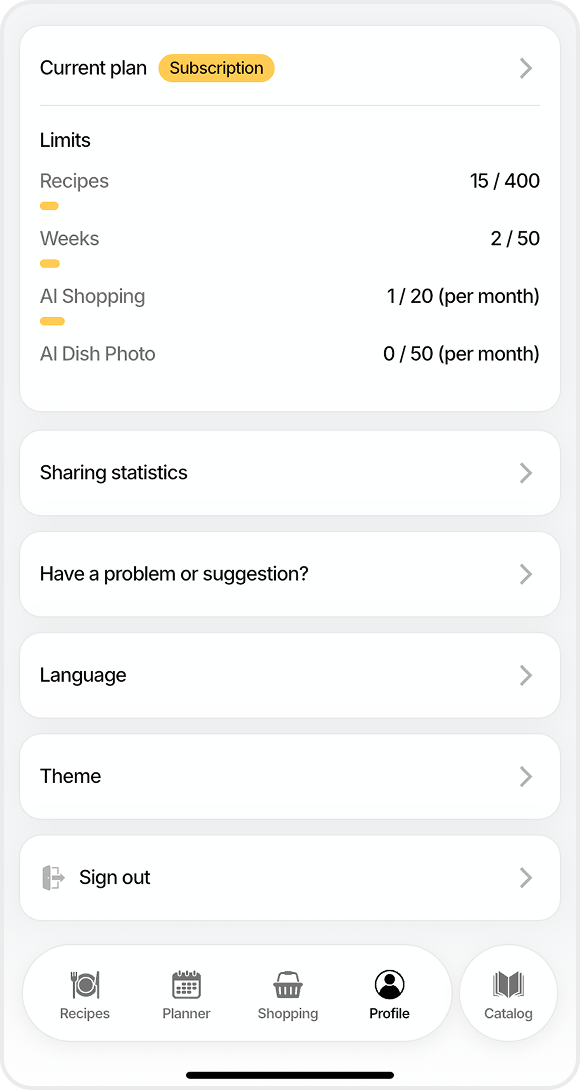
Track your usage at a glance, unlock more with Premium, switch language or theme, and manage the lists you share — all in one place.
Track your active plan limits
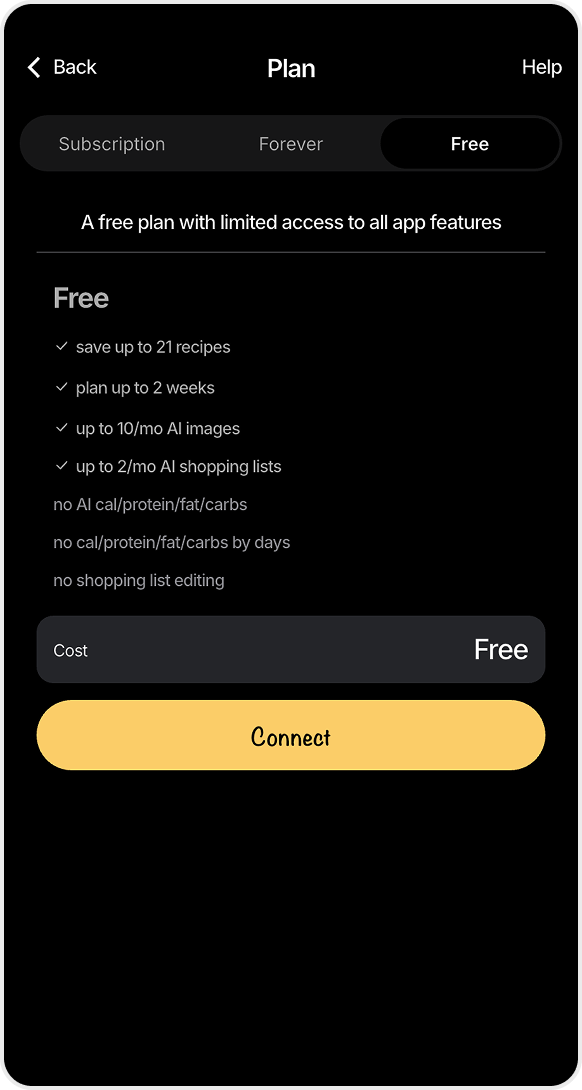
Choose between 3 different plans
 Catalog
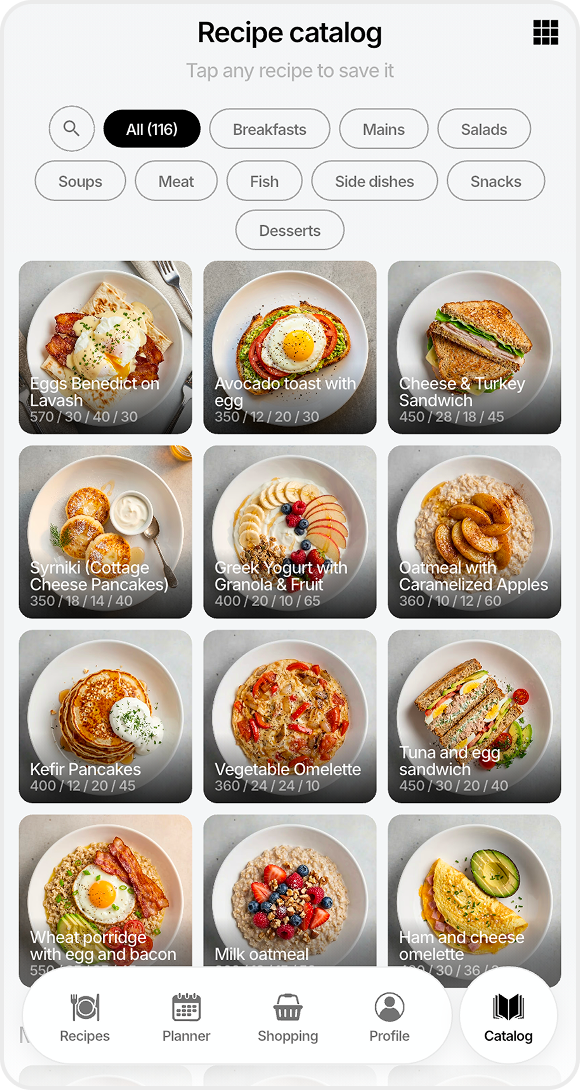
Don't build your menu from zero — browse the FoodsPlans Catalog by category and save any recipe to your lists in one tap.
The catalog is regularly updated with new recipes
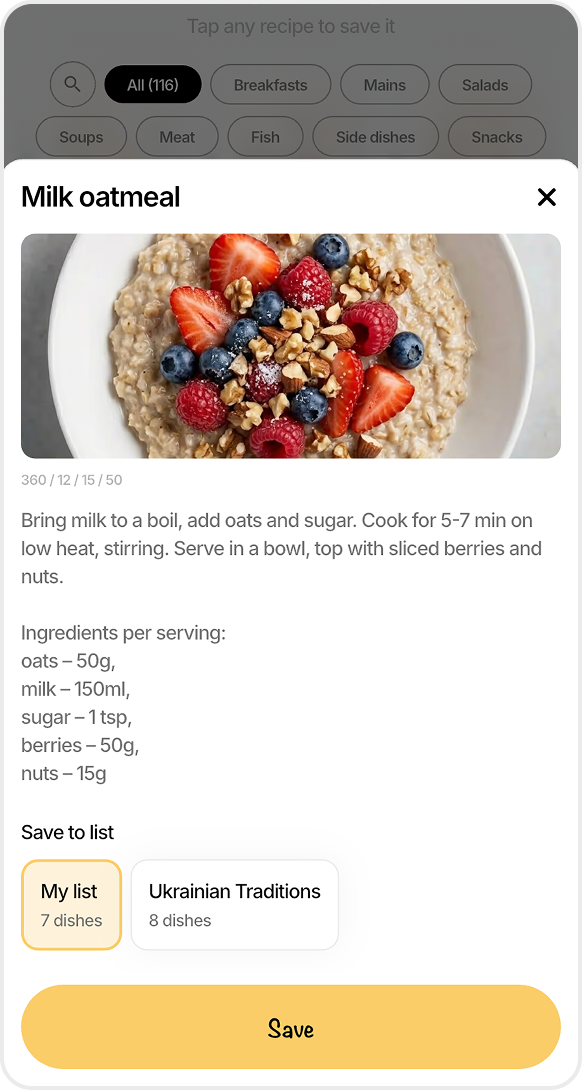
Select the recipe and save to your list
“Finally killed the nightly ‘what do we cook’ debate. We plan on Sunday, shop once, and the whole week just runs itself.”
— Marta K., App Store
“The AI grocery list is the killer feature — it groups everything by aisle, so I’m in and out of the store in 15 minutes.”
— Daniel R., App Store
“My partner and I finally share one plan — no more double-buying or forgetting dinner. Clean, fast, and no ads.”
— Olena P., App Store
Meal Planning
Easy Summer Meal Plan: 7 Days of No-Cook and Light Dinners
Beat the heat without turning on the oven — seven light, mostly no-cook dinners you can reuse all season.
Quick Meals
What to Cook When It's Too Hot to Cook
10 no-cook dinner ideas for the nights when the stove is the enemy — assemble, don't cook.
Meal Planning
BBQ Week: How to Plan a Grilling-Themed Meal Week
One theme, seven dinners — a grilling week plan with a smart grocery strategy you can save and reuse.
FoodsPlans is a free meal-planning app for families and couples. It keeps your weekly meals organized, saves your favorite dishes, lets you share plans with family, and generates AI-powered grocery lists — all in one place.
Add your dishes to your personal recipe library, or save ready-made ones from the free catalog. Then create a week and fill the slots for breakfast, lunch, dinner, and snacks. You can reuse and adjust your weeks anytime.
Open the Shopping tab, pick a week you've already planned, and tap generate. FoodsPlans turns every dish in that week into a categorized grocery list — and you can share it with anyone through a simple link.
Yes, FoodsPlans is free with a few limits. A monthly Subscription unlocks the full functionality, while the one-time Forever plan raises your limits with a single purchase (its AI features match the free tier). Pick whatever suits you best.
For now, you can share a planned week by sending a screenshot to your family or partner. Generated shopping lists are even easier to share — every list has its own link that anyone can open.
To start planning, just add your dishes by name — no photos or recipes required. Full recipes (with ingredients) are only needed for the AI grocery list, since the AI skips dishes that don't list any ingredients.
FoodsPlans keeps all your recipes in one place, gives you simple week-by-week planning with meal slots, builds shopping lists automatically, and includes a free catalog of recipes that's updated regularly. That's a lot more than a spreadsheet or notes app can do.
Yes — saving money and time is one of its main goals. A precise shopping list stops you from buying things you don't need, and a planned week means you never have to wonder what to eat today or tomorrow.
Yes, FoodsPlans is available on both iOS and Android.
Yes, and it's free for everyone. You can even browse the catalog right here on the website — no app or account required.
Free / Subscription / Forever plans
No ads, ever
iOS & Android


